Hey friends — Jenni here. I have been sitting on a Martian Copilot Reel for socials because I refused to glue it onto some other announcement. Copilot deserves its own URL. This is that post.
Martian Copilot is the installable fan app for Martian Games. Open it at copilot.martiangames.com, add it to your home screen, or grab it from the Microsoft Store. Five tabs. No ads. The website stays the SEO / AdSense discovery surface; Copilot is the thing that feels like an app.
Why I wanted a Copilot, not another mobile website
martiangames.com on a phone is still a website. It should load fast, stay readable, and not pretend to be a native shell. Copilot is the other contract: a bottom tab bar, saved theme, offline cache, and a home-screen icon. Same studio orange. Same public feeds. Different UX on purpose.
I help ship both. The PHP site is where people find Tank Off and the newsroom. Copilot is where a fan who already cares can keep News, the game wiki, videos, the board, and links in one pocket without bouncing through the full desktop layout.
The quotable bit: five tabs, zero ads, one Store listing — News, Games, Videos, Board, Links.
What makes Martian Copilot different
- It is not the website in a WebView. The site stays PHP + Bootstrap. Copilot is a React PWA with its own shell.
- Pretty URLs at the subdomain root.
copilot.martiangames.com/news— not a nested/martian-copilot/…maze. Old paths 301. - Feeds come from the live studio APIs. News, wiki, playlists, and the board are the same public JSON the site already publishes. No second CMS.
- Microsoft Store is live as a Hosted PWA (
9PN7W26D3JQ3). That is the Entertainment listing, not a GDK Xbox package. - No brown, no magenta. Studio brand rules travel into the app tokens the same way they travel into the site.
There is a sibling desktop product in the same repo — the Martian Games Library (Electron). That is the launcher. Copilot is the phone companion. Do not mix the two when you share this.
What's on each tab
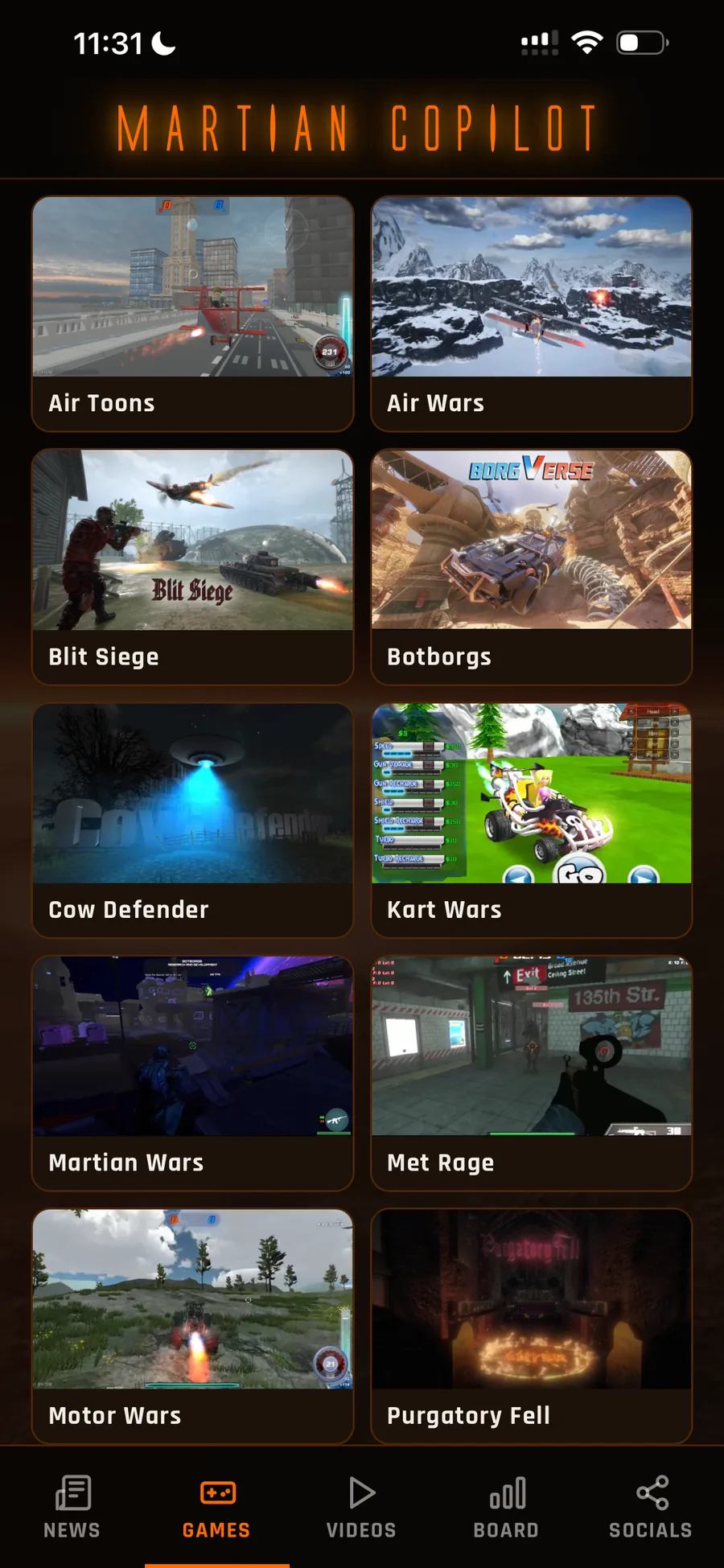
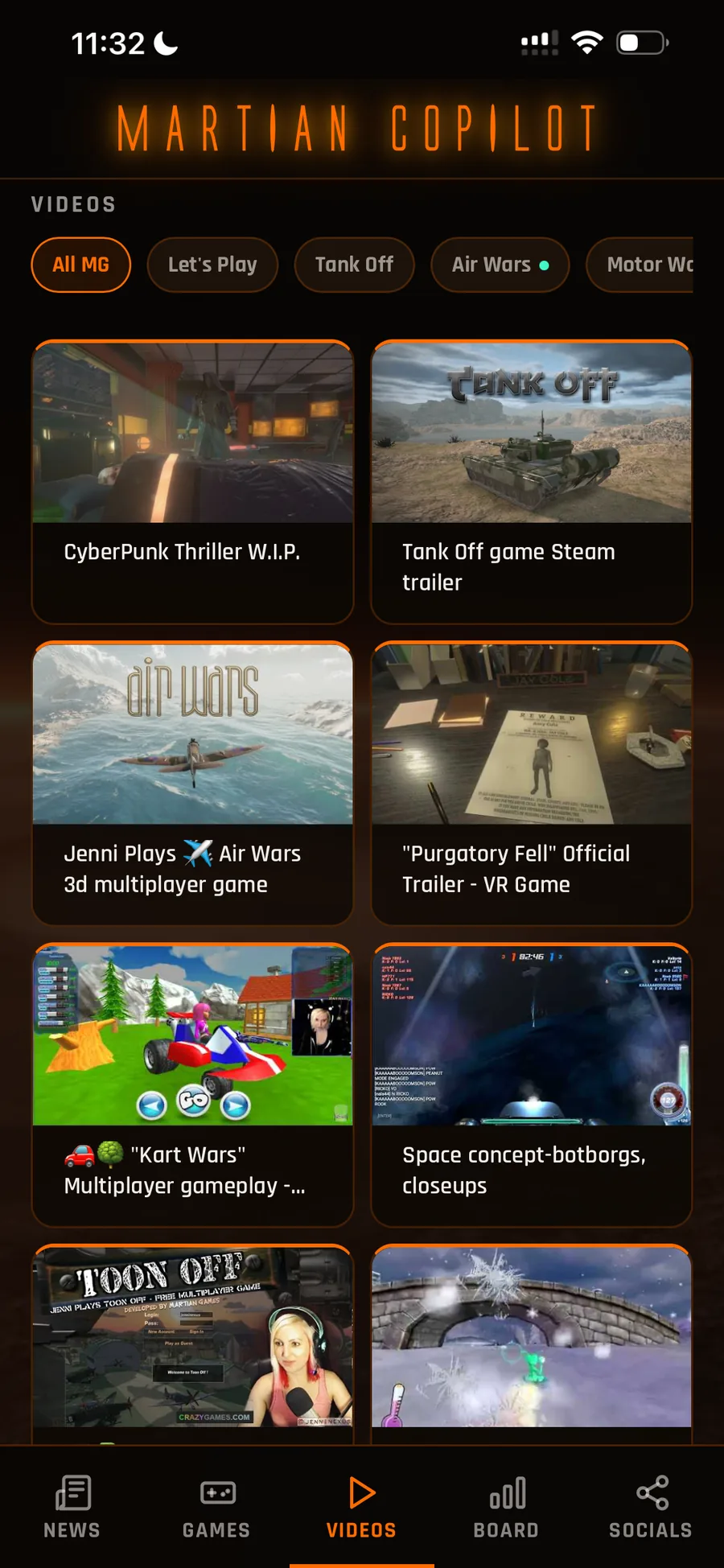
The three phone stills at the top are the same production shots we use on the Martian Games news post — not mockups.
- News — studio posts from the same YAML → JSON pipeline as martiangames.com/news.
- Games — wiki / library cards so you can tap a title without loading the full PHP game page first.
- Videos — playlist feeds (the site catalog APIs, not a YouTube Data API key in the app).
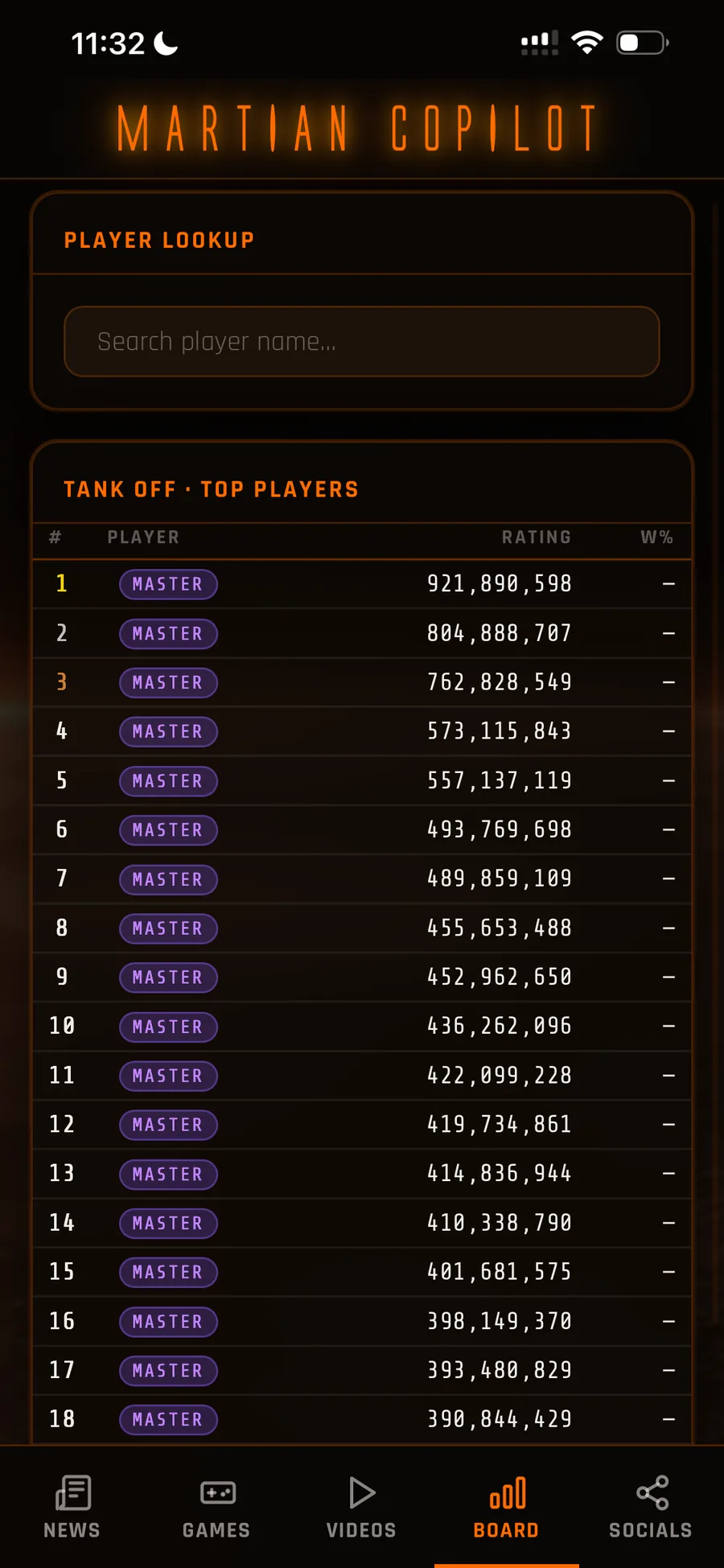
- Board — leaderboard. Same public feed the site vote/board widgets read.
- Links — Discord, socials, and the mothership site.
That is the whole Phase 1 surface. If a Reel shows those three phones, this page is the caption URL.
How Martian Copilot works
- Open copilot.martiangames.com on your phone or desktop.
- Use the five tabs: News (studio posts), Games (wiki / library), Videos (playlist feeds), Board (leaderboard), Links (Discord, socials, site).
- Install it: browser “Add to Home Screen”, or the Microsoft Store listing.
- Optional: the studio news write-up with the same phone shots lives at martiangames.com/news/martian-copilot-wiki.
If you already follow Martian Games on the web, nothing is behind a login today. Phase 1 is the companion. Accounts and push are later — I am not going to pretend those shipped.
Who is Martian Copilot for?
- Fans who want the studio in a home-screen icon, not another bookmark
- Players checking the board or a wiki entry without loading the full site chrome
- People who bounced off “mobile website” and still wanted an app-shaped thing
- Anyone who saw the Instagram Reel and needed a real URL to open
If you want to play the games in the phone shell, that is not this phase. Copilot does not embed CrazyGames or ship a mobile Tank Off build. It points you at the studio site for play. The Library app is the desktop play surface.
What's next
This post is the JenniNexus walkthrough so socials can finally link a jenninexus.com/blog/… URL instead of borrowing some other launch. The app itself is already live. Remaining honest work: PWA install on a real phone (Add to Home Screen), the Reel once this URL is public, and the desktop Library on its own timeline.
PayPal checkout on my tools page stays off. A Copilot share is not a paid SKU. Tip the work on Patreon or PayPal.Me if you want — that is support, not an unlock.
Open it: copilot.martiangames.com.
— Jenni